Best Graphics Designer Software In 2026
The engine that transforms imaginative concepts into observable business outcomes is graphic design software. The “best” graphic design software for 2026 truly relies on your workflow preferences, budget, and the type of work you’re doing. The “right” option is frequently a combination of specialized tools rather than a single, all-in-one solution because the industry is more varied than ever.To assist you in selecting the ideal solution for your particular
Best Graphics Designer Software In 2026 | Top Most to Software
If you’re looking for powerful software , these are the main contenders:
- Affinity (by Canva): This is the top pick for a professional alternative . It’s a one-time purchase (or now free in some forms) that provides a powerful, professional feature set for vector art, photo editing, and layout. It offers a fast, non-subscription workflow, making it ideal for freelancers and budget-conscious professionals .
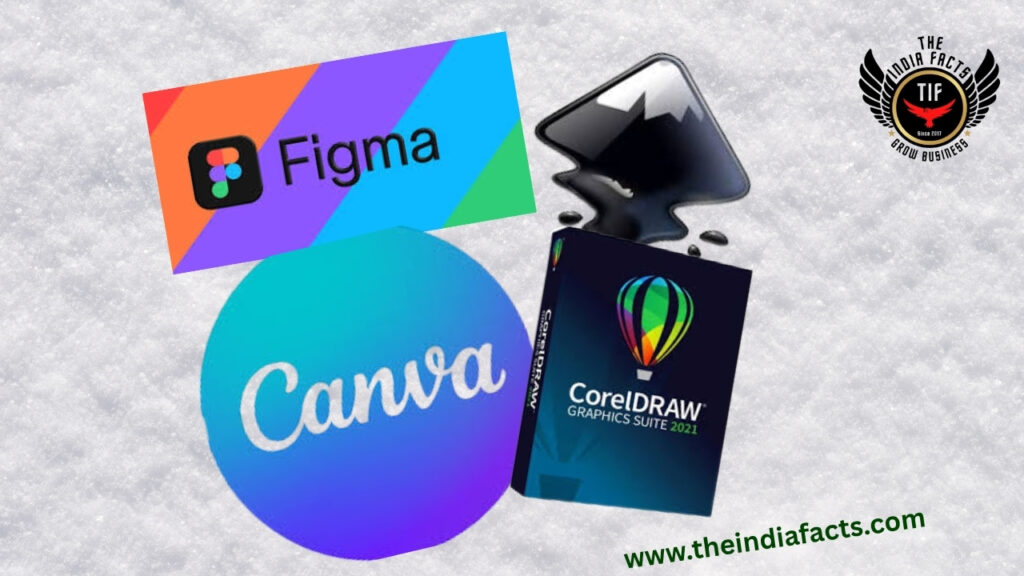
- CorelDRAW: A veteran in the design space, CorelDRAW is a complete vector illustration and layout tool that’s particularly strong for print design. It offers the flexibility of a subscription or a one-time purchase, making it a solid choice for designers with a focus on traditional print and packaging .
Niche & Specialized Software
Sometimes you need a tool built for a specific type of work.
- For UI/UX and Digital Design: Figma is the king in this space. It’s a cloud-based, collaborative tool perfect for designing websites, apps, and prototypes. Its real-time collaboration features are unmatched, though it’s not suited for print work .
- For Illustration and Digital Painting: Procreate is the standout choice for iPad users. It offers a touch-first, intuitive workflow and has a firm “no AI” policy that appeals to artists who value traditional creative processes .
- For Beginners and Fast Content: Canva is the easiest platform to learn. Its massive library of templates and user-friendly interface make it perfect for creating social media graphics, presentations, and marketing materials quickly
If you want Best Free Options
If you’re on a tight budget, open-source tools are more capable than ever.
• Inkscape: An excellent, free vector graphics editor that serves as a great alternative to Adobe Illustrator for students, hobbyists, or anyone who needs robust vector tools for logos and illustrations .
• GIMP: A free, open-source raster image editor. It’s a powerful tool for photo editing and image composition, though it has a steeper learning curve
Which Field Need Graphic Design Software
That’s the ideal follow-up query. In a nutshell: Nearly every contemporary industry. Graphic design software is no longer limited to “artists” in 2026. Like email or Microsoft Excel, it is an essential business tool. Let’s examine the main sectors that absolutely need graphic design software and what they use it for to demonstrate how pervasive it is:
1. Social media, marketing, and advertising (the obvious one)
• Who: Content producers, digital marketers, and social media managers.
• They create billboards, Google Ads, YouTube banners, Instagram posts, TikTok thumbnails, and email newsletters.
• The reason they require the software: In just a few seconds, a single advertisement can be resized into ten distinct layouts (square, narrative, and landscape) while guaranteeing that each post adheres to the precise brand colors.
2. Web Design, App Design, and UX/UI (The Tech Industry)
• Who: Web developers, UX/UI designers, and product designers.
• What they design: Clickable prototypes, dashboards, mobile apps, and website layouts.
• Why they require the program: This is the most important area for programs such as Figma. Instead of merely creating “pictures” of apps, they utilize the program to construct interactive blueprints that specify exactly how far apart buttons should be, what happens when you touch them, and how your finger swipes will affect the screen.
Print and Publishing (The Physical World) Best Graphics Designer Software In 2026
- Who: Book designers, magazine editors, packaging engineers, sign makers.
- What they design: Book covers, magazines, cereal boxes, product labels, T-shirt prints, and massive trade-show banners.
- Why they need the software: Printers are incredibly strict. If your design is off by 1/16th of an inch, the whole box gets thrown away. Software like Adobe InDesign and CorelDraw calculates “bleed” (printing slightly past the edge) and converts colors to CMYK so that what you see on your screen is exactly what rolls off the printing press.
4. Gaming, Film, and Entertainment (The Visual Effects World)
- Who: Concept artists, 3D modelers, texture artists, motion graphic designers.
- What they design: Character concepts, movie posters, 3D textures for video game characters, animated titles for Netflix shows, and set designs.
- Why they need the software: They use a mix of raster software (Photoshop) to paint realistic skin textures and vector software to design clean, scalable user interfaces inside video games (like health bars and maps).
5. Architecture and Real Estate (The Blueprint World)
- Who: Architects, interior designers, real estate marketers.
- What they design: Floor plans, 3D architectural visualizations, “staged” photos of empty rooms (filling them with AI-generated furniture), and sales brochures for new apartment complexes.
- Why they need the software: To take their technical CAD (Computer-Aided Design) blueprints and turn them into beautiful, realistic images that help buyers visualize living in a house before it’s even built.
6. Fashion and Textile Design Best Graphics Designer Software In 2026
- Who: Fashion designers, pattern makers, print designers.
- What they design: Repeating patterns for fabric, t-shirt graphics, shoe designs, and color palettes for seasonal clothing lines.
- Why they need the software: To create seamless, repeating patterns that wrap perfectly around a 3D dress, and to test out wild color combinations on a digital mannequin before sewing a single piece of real fabric.
7. Education and E-Learning Best Graphics Designer Software In 2026
- Who: Instructional designers, teachers, course creators.
- What they design: Info graphics, slide decks, interactive PDFs, charts, and diagrams for textbooks or online courses like Coursers.
- Why they need the software: To take complicated, boring data (like a 50-page spreadsheet) and turn it into a colorful, easy-to-understand info graphic that students can digest in 30 seconds.
8. The Freelance & “Gig” Economy Best Graphics Designer Software In 2026
- Who: Independent creators selling on Etsy, Amazon KDP, or Fiver.
- What they design: Printable planners, digital invitations, resume templates, and “low-content” books (like journals and coloring books).
- Why they need the software: To create files that customers can instantly download and print at home, or that Amazon’s print-on-demand service can physically ship to a buyer.If an industry has a customer, it needs graphic design software. Whether that customer is a gamer looking at a health bar, a shopper picking a cereal box, a homeowner looking at a floor plan, or a CEO reading a PowerPoint presentation—someone had to use design software to make that information look clear, trustworthy, and appealing.
Are you currently working in (or hoping to join) one of these fields? If you tell me which one, I can tell you the single best software to start learning right now for that specific job.
How Grow Our Business With graphic design Software
This is the exact question every smart business owner should be asking. You already know design is important—now you want to know how to weaponries it for growth.
In 2026, graphic design isn’t just about looking good; it’s a growth engine. Here is a step-by-step action plan to use design to actively grow your business, attract new customers, and increase revenue:
1: Build a “Magnetic” Brand Identity (The Foundation) Best Graphics Designer Software In 2026
Before you sell anything, people need to remember you.
• Action: Don’t just get a logo; get a Brand Kit. This includes your logo, 3 specific brand colors, 2 fonts, and a photo style (bright and airy, or dark and moody?).
• How it grows your business: Consistency builds trust. When your Instagram, website, packaging, and invoices all look like they come from the same family, your business looks 10x bigger than it actually is. This attracts higher-paying clients who equate “polished” with “reliable.”
2: Turn Your Website into a “Silent Salesman” (Conversion)
Your website has about 3 seconds to convince a visitor to stay.
- Action: Use UI/UX design principles on your homepage. Put your value propositionright at the top in big, bold text. Use a bright, contrasting color for your “Book Now” or “Buy Now” buttons. Remove any clutter or confusing links.
- How it grows your business: By reducing “friction” (clicks, confusion, slow loading), you increase your conversion rate. If 100 people visit your site and only 1 buys, that’s a 1% rate. Good design can push that to 3% or 4%—meaning you triple your sales without spending a single extra dollar on advertising.
3: Dominate Social Media with “Scroll-Stopping” Content Best Graphics Designer Software In 2026
In 2026, attention spans are shorter than ever. You are competing with cat videos and celebrity gossip.
- Action: Use bold typography, high-contrast colors, and motion (simple animations or GIFs) in your social posts. Design carousel posts (multi-slide posts) for Instagram and LinkedIn—these get 3x more engagement than single images because they force people to swipe.
- How it grows your business: Great design stops the scroll. The longer someone engages with your post, the more the algorithm shows your content to new people. This gives you free, organic reach to potential customers who have never heard of you.
Phase your packaging is free marketing.
- Action: Design your boxes or mailers with your brand colors and a simple, beautiful pattern. Add a small, beautifully designed “Thank You” card inside that includes a QR code.
4: Turn Customers into Walking Billboards (Packaging & Unboxing) Best Graphics Designer Software In 2026
If you sell physical products, How it grows your business: When a customer receives a beautiful package, they take a photo and post it on social media. That is user-generated content (UGC)—free advertising from your happy customers, shown directly to their friends (who trust them more than they trust your ads).
5: Use Information graphics to Establish Authority (Lead Generation) Best Graphics Designer Software In 2026
People don’t share boring text; they share visually stunning information.
- Action: Take a complex topic in your industry and turn it into a simple, colorful info graphic or a one-page PDF “cheat sheet.” Offer this PDF as a free download on your website in exchange for an email address.
- How it grows your business: This builds your email list (your most valuable asset). Once you have their email, you can use beautifully designed email newsletters to nurture these leads and eventually turn them into paying customers.
6: Design for Referrals (The “Shareable” Moment) Best Graphics Designer Software In 2026
Word-of-mouth is great, but you can speed it up with design.
- Action: Create a beautifully designed “Referral Card” (digital or physical) that says, “Love our work? Share this card with a friend and you both get 20% off.” Make it visually appealing so people want to share a photo of it.
- How it grows your business: This activates your existing customer base to bring in warm, highly qualified leads for a fraction of the cost of a Facebook ad.
Benefits Of Graphic Design In Your Business Best Graphics Designer Software In 2026
A lot of people think graphic design is just about making things “look nice.” But in business, good graphic design isn’t an expense—it is a high-return investment.Bad design, on the other hand, actively costs you money.Here are the 7 tangible, money-making benefits of using professional graphic design in your business:1. It Makes You Look Credible (The “Trust” Factor)Think about it: product from a website that looks like it was built in 1999, with blurry images and mismatched colors?Probably not.
1. The Benefit: Professional design signals that you are legitimate, stable, and care about quality.In 2026, where AI is flooding the internet with cheap, generic images, a cohesive, professional brand identity (logo, colors, fonts) instantly sets you apart as a real, trustworthy business.It tells customers, “We are here to stay.”
2. It Creates a “Memory Hook” (Brand Recognition)Let’s zoom in on that specific benefit, because brand recognition is arguably the most powerful, long-term asset your business can own.When I say graphic design creates a “Memory Hook,” I mean it literally rewires how your customers’ brains work.Let’s break down exactly how this happens, why it matters for growth, and how to build your own hooks.
- The Benefit: When you use consistent colors, fonts, and logo styles across your website, social media, and packaging, you are creating a visual shortcut. When a customer sees your specific shade of blue or your unique logo shape, they instantly think of you. This builds “top-of-mind awareness,” meaning when they need your product, they remember you before they remember your competitor.
3. It Directly Boosts Your Sales (The Conversion Machine)
Graphic design is not just art; it is visual psychology. The placement of a “Buy Now” button, the color of that button (red creates urgency, green implies “go”), and the amount of white space around your pricing all affect whether someone clicks “purchase.”
- The Benefit: Strategic UI/UX design can increase your website’s conversion Good design guides the customer’s eye exactly where you want it to go, removing confusion and making it incredibly easy for them to buy.
4. It Saves You Money on Marketing
This is a hidden benefit that most people overlook. If your social media posts, Google Ads, or email banners are ugly, people scroll right past them. You are paying for those ad impressions, but nobody is clicking.
- The Benefit: Well-designed ads have higher “Click-Through Rates” (CTR). Platforms like Google and Meta actually reward high-quality, relevant ads with lower costs per click. Great design doesn’t just get more clicks; it makes your advertising dollars stretch much further.
5. It Communicates Complex Information Instantly
Imagine trying to explain a 50-page data report to a busy client via text. They will fall asleep.
- The Benefit: Using design to create info graphics, charts, and diagrams takes complex, boring data and turns it into a story that your customer can understand in 5 seconds. In business, time is money; design helps you get your point across before your customer loses interest.
6. It Draws Better Workers (Yes, Really)
Your design isn’t just for customers; it’s for your future team.
- The Benefit: A polished website and a modern, clean office brand (business cards, employee swag, presentation decks) make your company look desirable to work for. In a tight job market, top talent is more likely to apply to a company that looks successful and well-run.
7. It Creates a Premium “Perceived Value”
Why can Starbucks charge more for coffee than a petrol station does? The experience and the packaging are more important than the coffee beans.
- The Benefit: Professional packaging, high-quality menus, and sleek product photography make your product feel more luxurious and valuable. This allows you to charge higher prices for the exact same product, simply because it looks worth more.
The Flip Side: The “Cost of Bad Design”
To really understand the benefit, look at the cost of ignoring it. In 2026, 94% of a user’s first impression of your business is design-related. If they don’t like what they see, they leave your site within 0.05 seconds.
- Without design, you experience “brand leakage” —customers buying from you, but not remembering your name.
- Without design, your customer support team is overwhelmed with questions because your instructions or forms are confusing.
Graphic design is the silent salesperson for your business. It works 24/7 to build trust, communicate your value, and gently push customers toward buying—all without saying a single word.
If you had to choose one place to start investing in design for your business right now (your logo, your website, or your social media templates), which one do you think is hurting your sales the most? I can give you specific, cheap ways to fix it.
Conclusion of graphic design software
We’ve covered a lot of terrain, so let’s condense it all into a single, impactful conclusion.
The final lesson can be summed up in four straightforward facts:
1. “Imagination” and “Reality” are connected by it.
The world won’t know if you can’t visually convey your message, even if you have the greatest product, the most intelligent team, and the clearest message in the world. With the use of graphic design software, you may translate your mental image onto a screen, billboard, or product. You won’t be able to sell it in 2026 if you can’t design it.
2. It is the one Driver of Trust and Credibility
As we mentioned, professional design is validity rather than vanity. Every single transaction is built on the trust that polished, consistent graphics convey to your audience in a world when customers are more wary than ever: “We are legitimate, we are professional, and we care about the details.”
3. It is Your Most Powerful Growth Hack
From creating “Memory Hooks” that make you unforgettable, to turning your website into a conversion machine, to designing shareable social content—the software is the tool that activates growth. It saves you money on ads, allows you to charge premium prices, and turns customers into walking billboards for your brand.
4. The Software is Just the Tool; Your Strategy is the Magic
In 2026, the software itself is more accessible and powerful than ever. Whether you choose Adobe for professional depth, Canva for speed and simplicity, Figma for web and apps, or Affinity for a budget-friendly powerhouse—the tool doesn’t matter as much as the strategy.
AI can generate a thousand images, but only you can use that software to build a cohesive brand, tell a compelling story, and solve a customer’s problem.